- Role
- UX Lead · Research · Creative direction
- Team
- Accenture pod + AEP UX & developers
- Platforms
- iOS & Android
- Outcome
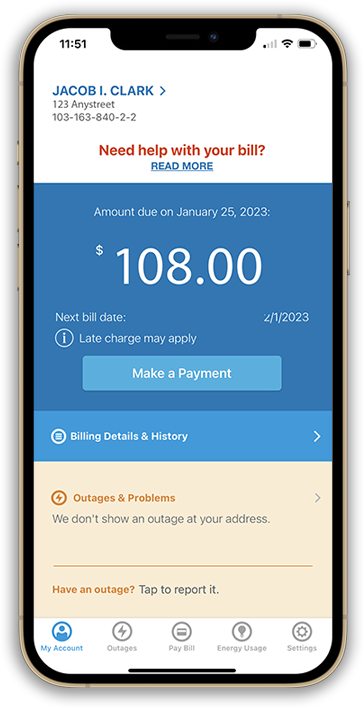
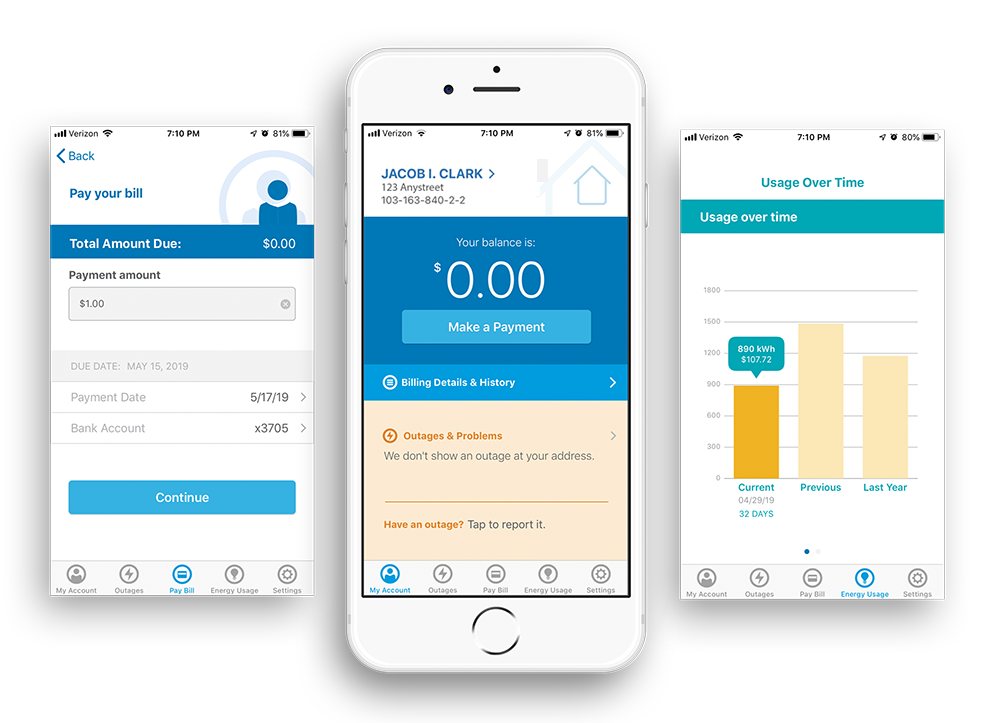
- AEP’s first customer service app; my persona template became AEP’s standard
- Persona creation
- Design-thinking workshops
- UX inside agile
- Iterative usability testing
- Accessibility testing
- A/B testing
- Pairing with developers
01 — The challenge
A first-ever app, built by a team that had never shipped one.
AEP had no in-house iOS or Android developers, so we staffed the pod with Accenture specialists while upskilling AEP developers to maintain the app after launch. AEP’s UX team was a shared service, so ideation, research and testing were split between AEP and Accenture.
AEP was also a waterfall organization. We introduced development sprints — and design sprints alongside them.
02 — Key constraint
11 states. 11 business units. One app.
Each AEP operating company runs independently, with its own regulatory and compliance rules and its own mix of services. Not every feature could ship to every region, so the design had to flex by business unit.
03 — Start with the user
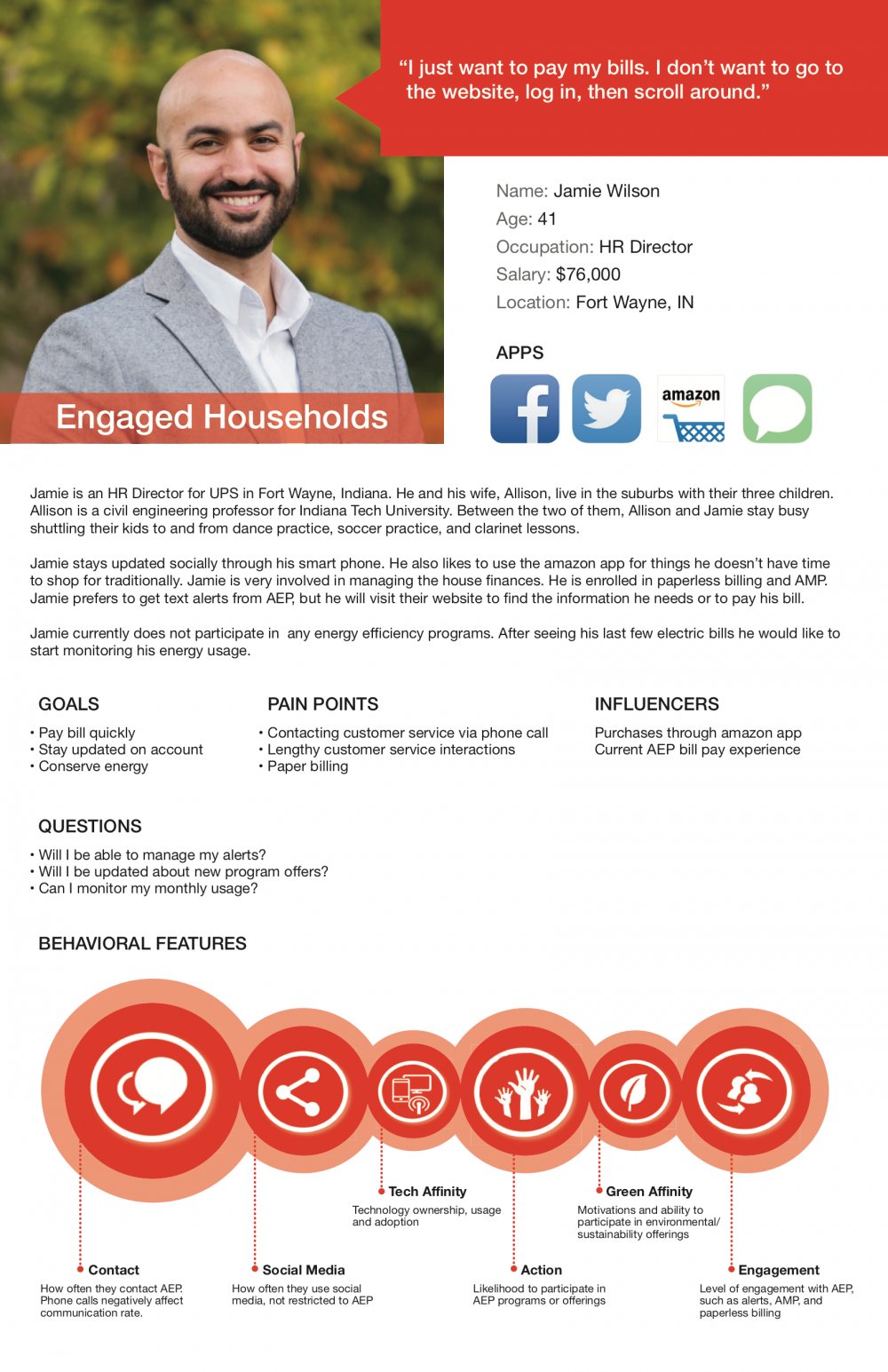
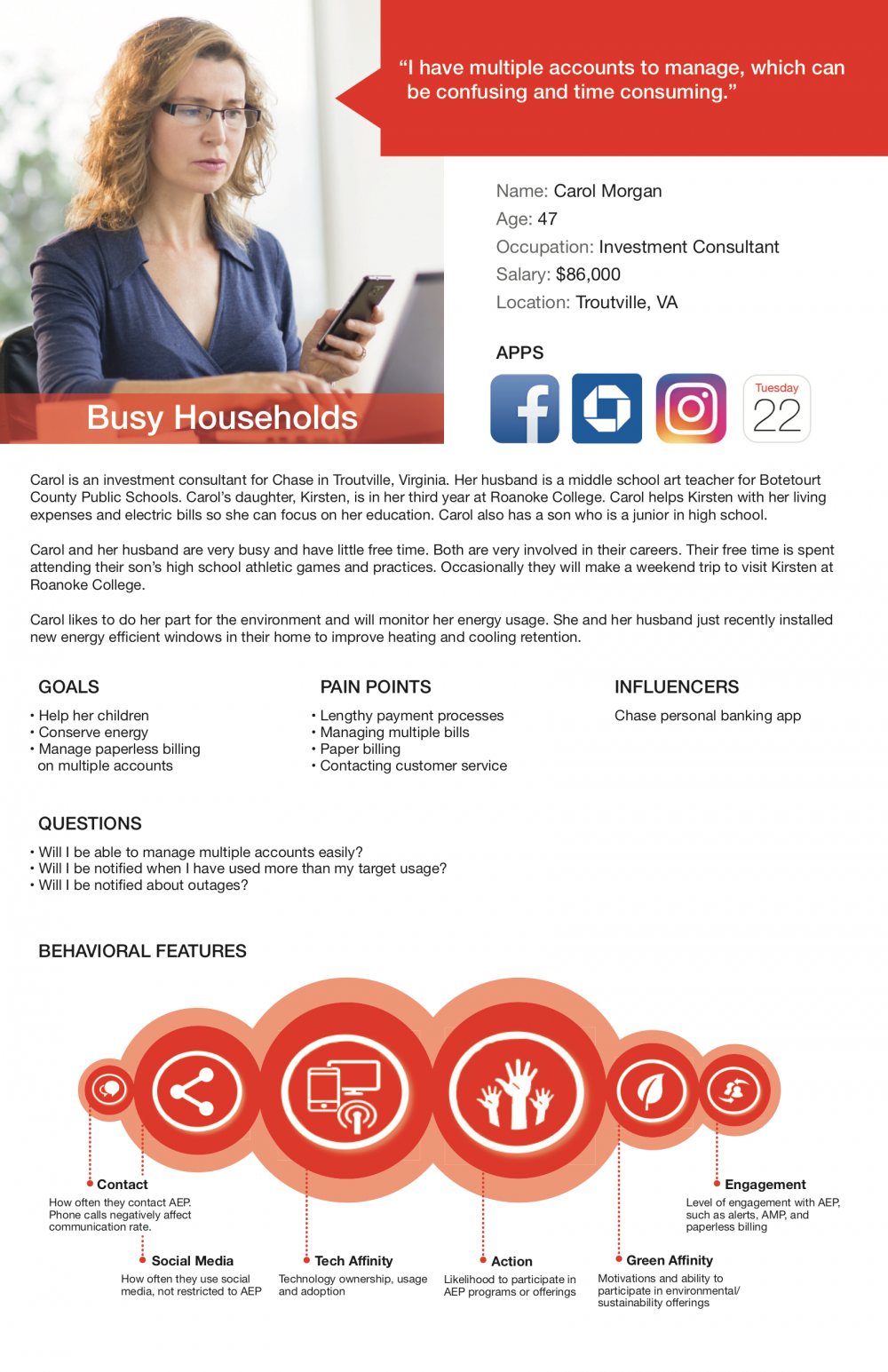
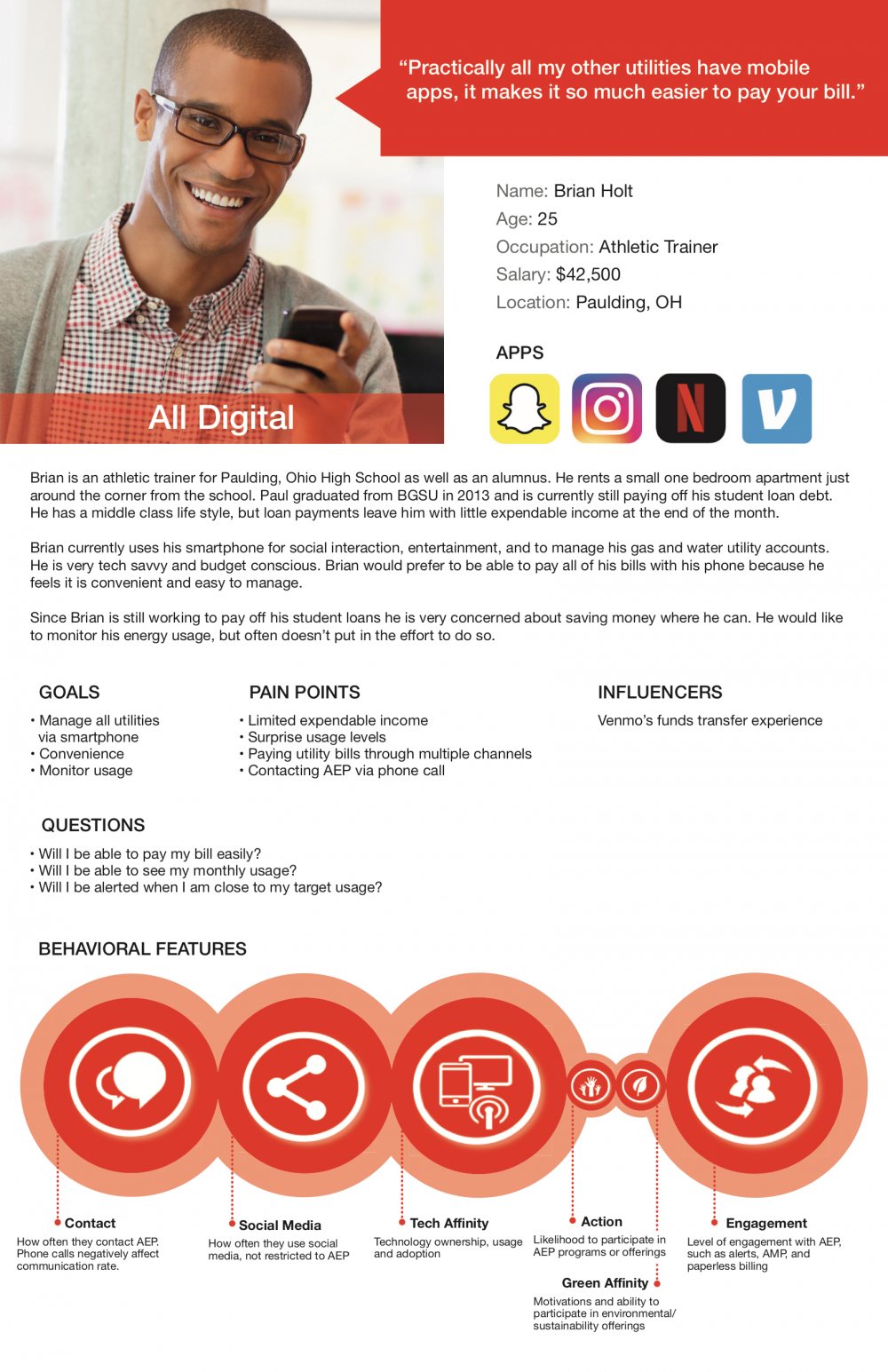
Personas that picked the MVP’s audience.
We targeted customer segments that rarely engaged with AEP’s websites but had high tech affinity. I created a persona template for the project that went on to become AEP’s standard for persona work.
04 — UX inside agile
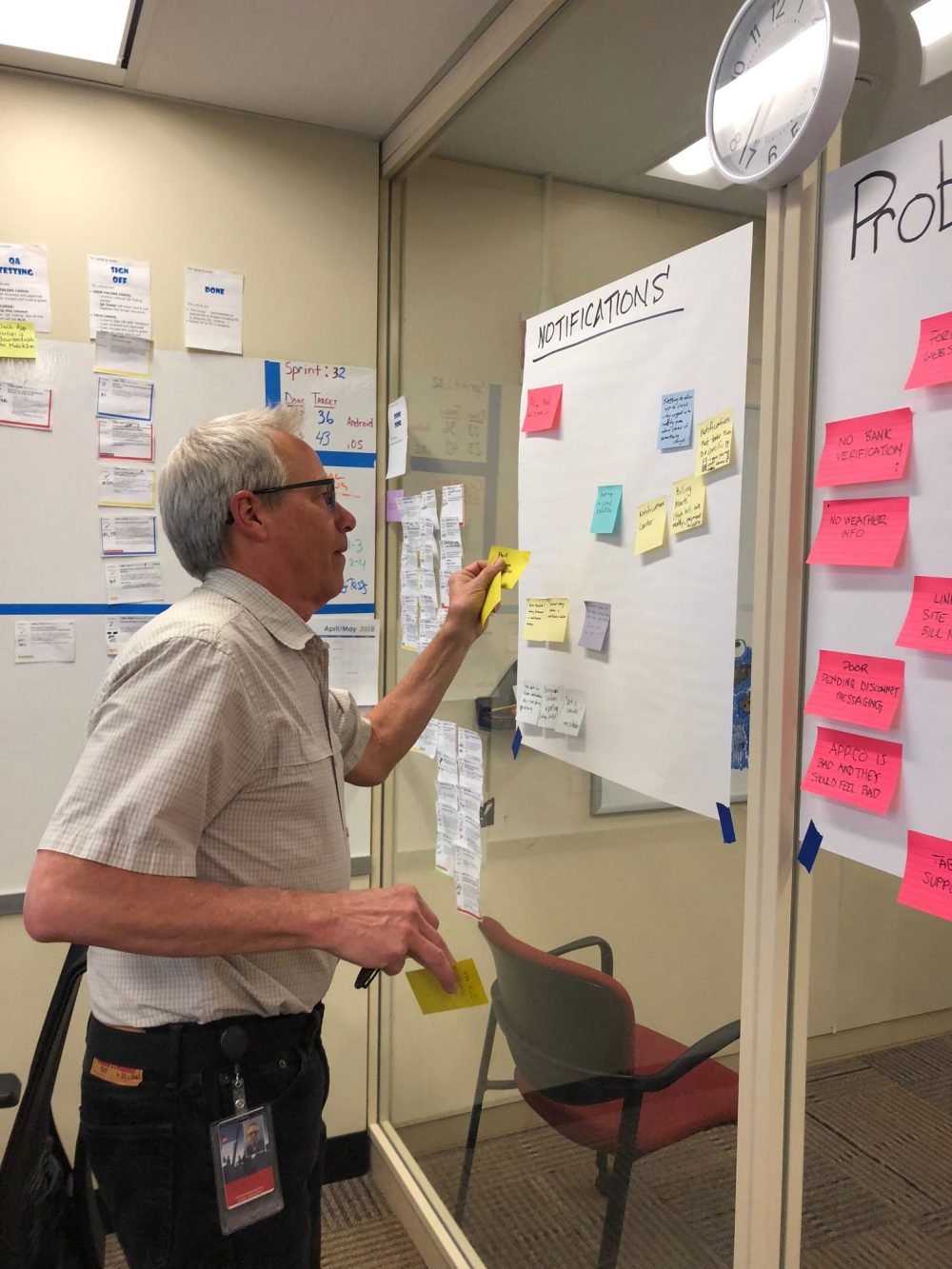
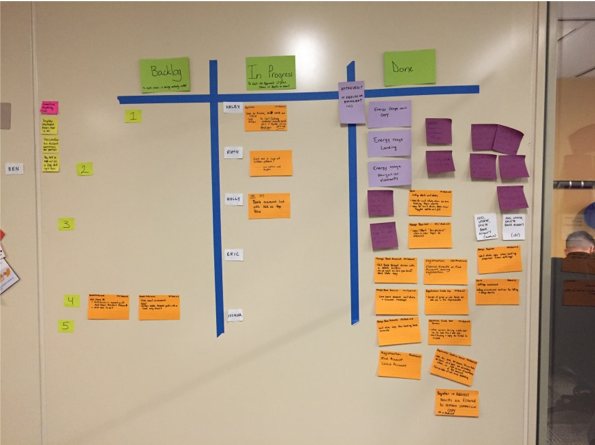
A design board that stayed a sprint ahead.
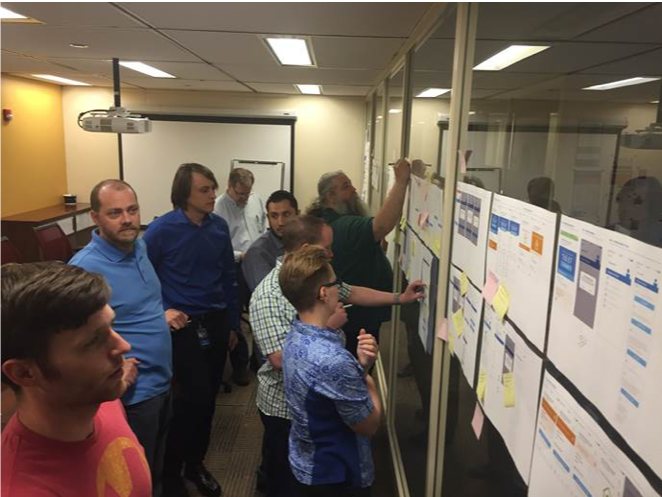
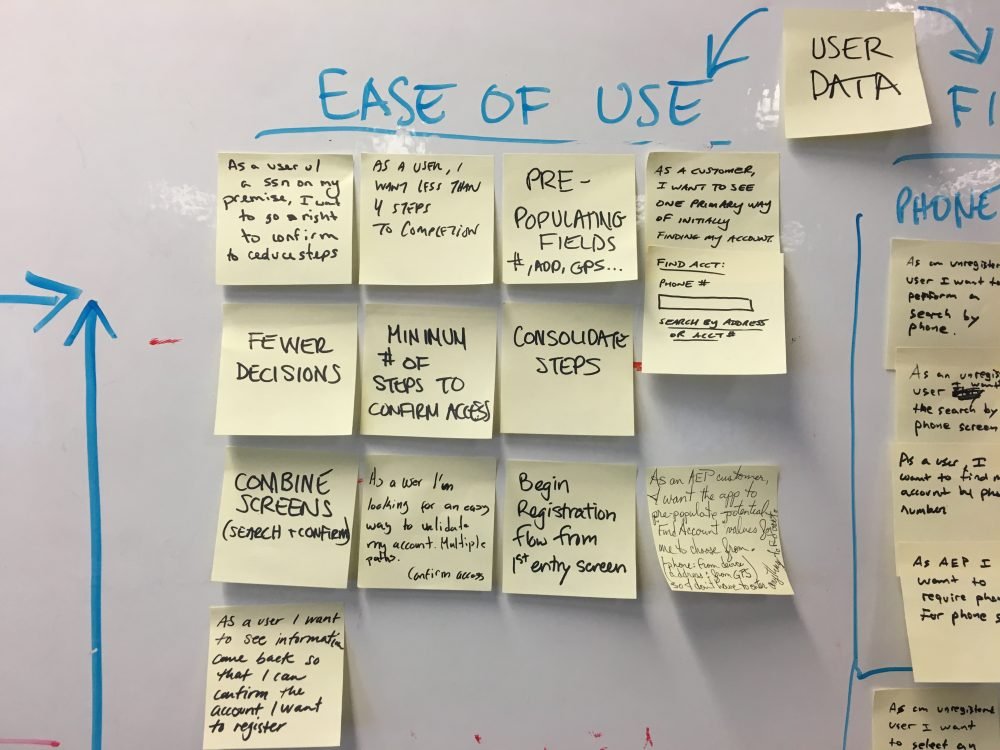
Because AEP was new to agile, we got to define how UX should work inside it. While developers ran their sprints, the design team kept its own board, so we stayed organized and kept a steady flow of considered work ready for development.
05 — UX + dev fusion
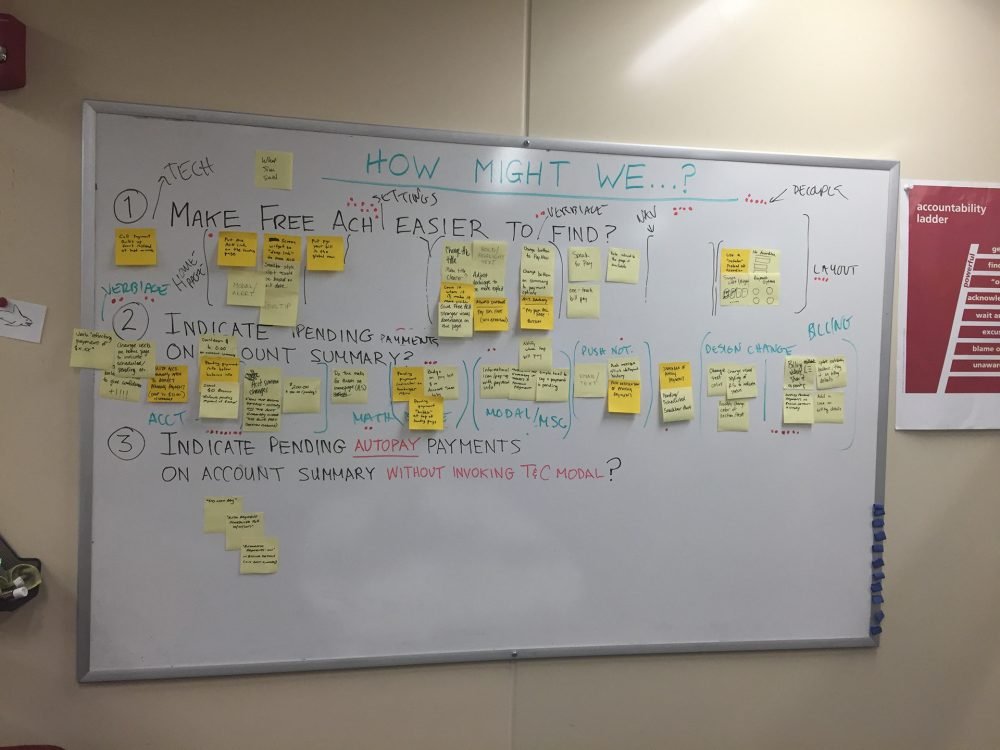
Developers in the room, early and often.
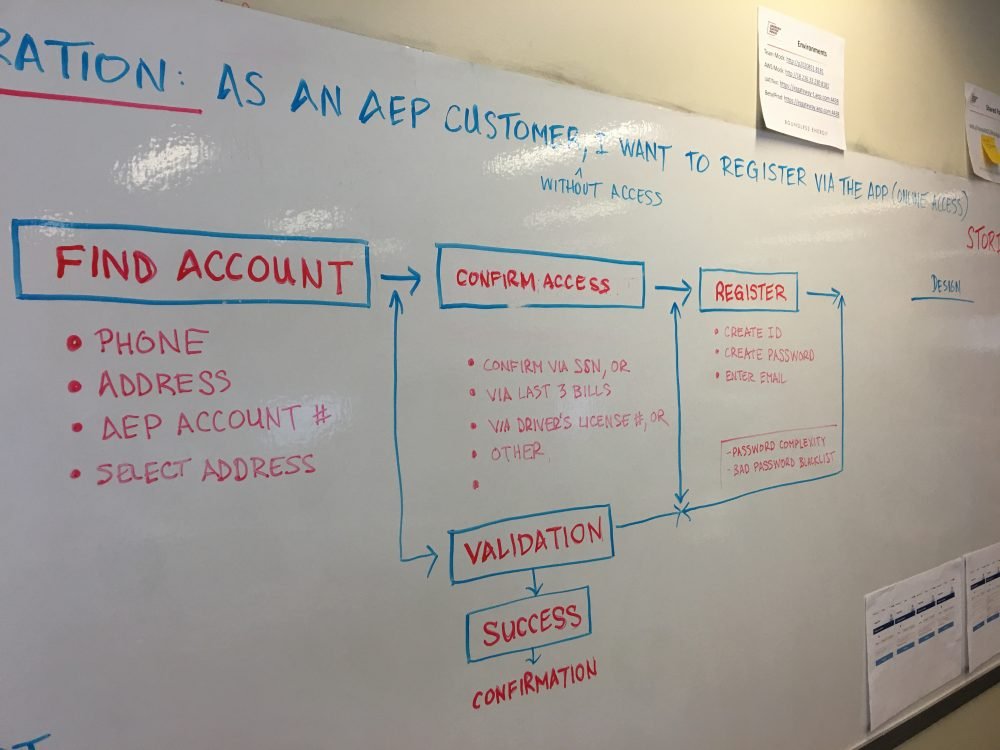
We pulled developers into design discussions to understand technical constraints, held one-off flow conversations, and ran workshops where they could question our proposed designs. Their perspective was invaluable.
06 — Sketches
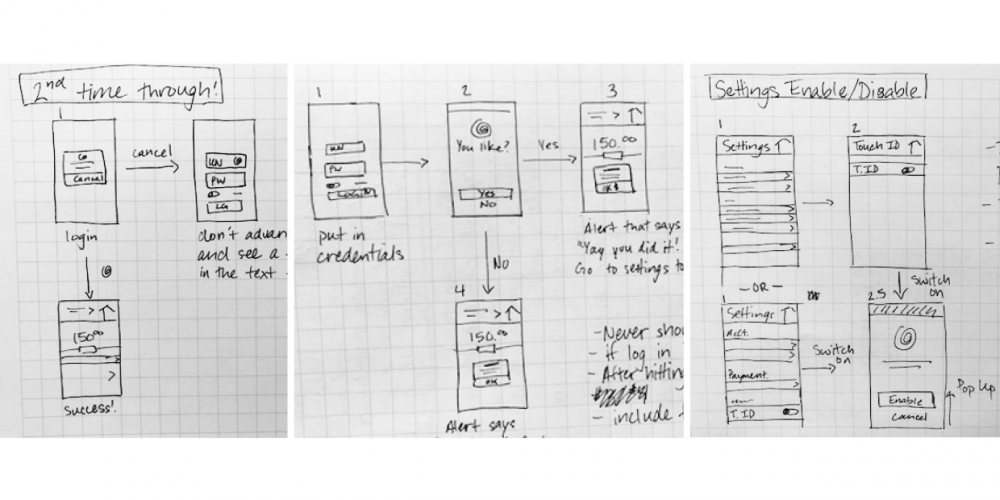
From developer conversations to a biometric sign-in flow.
Once I understood the technical constraints, I sketched how signing in with biometrics should feel: first-time setup, the prompt, and turning it on or off in settings.
07 — Wireframes
Translating business processes into mobile flows.
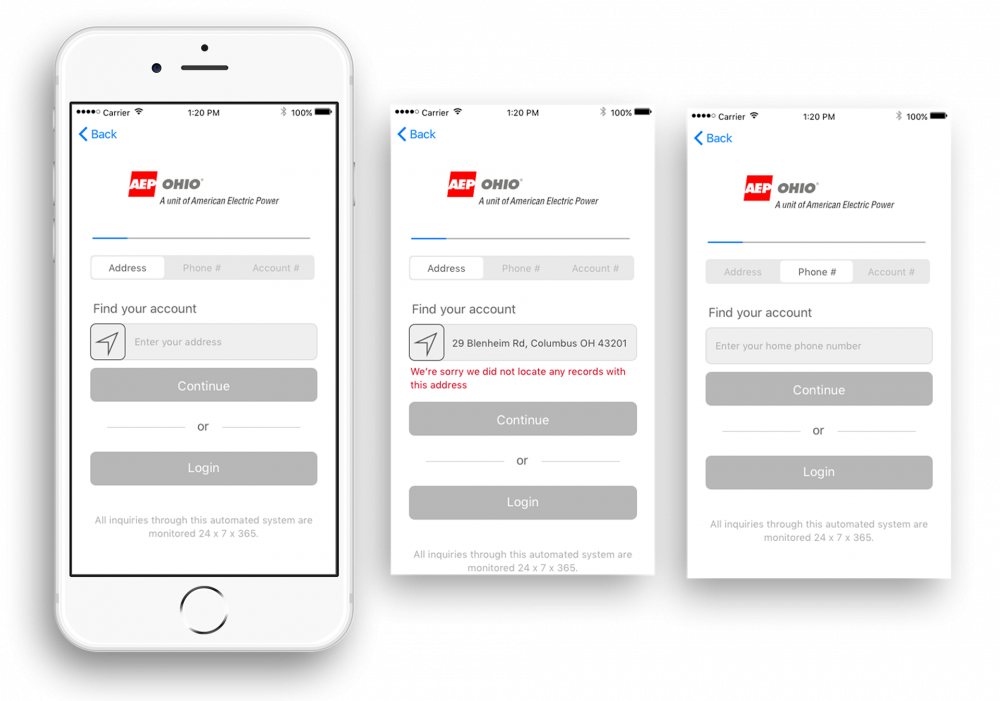
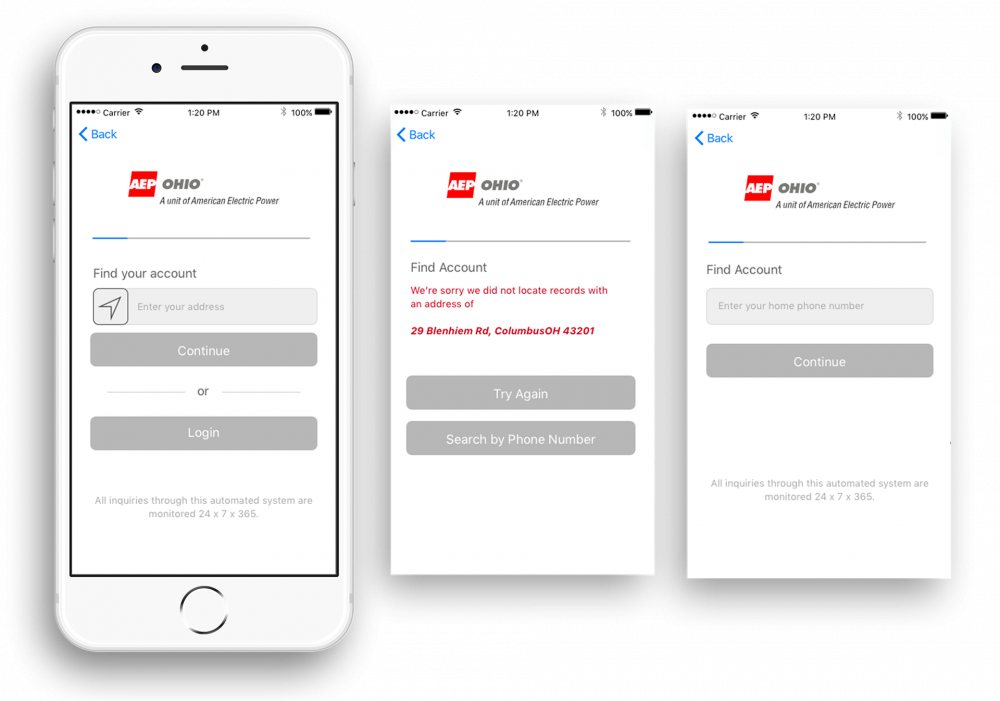
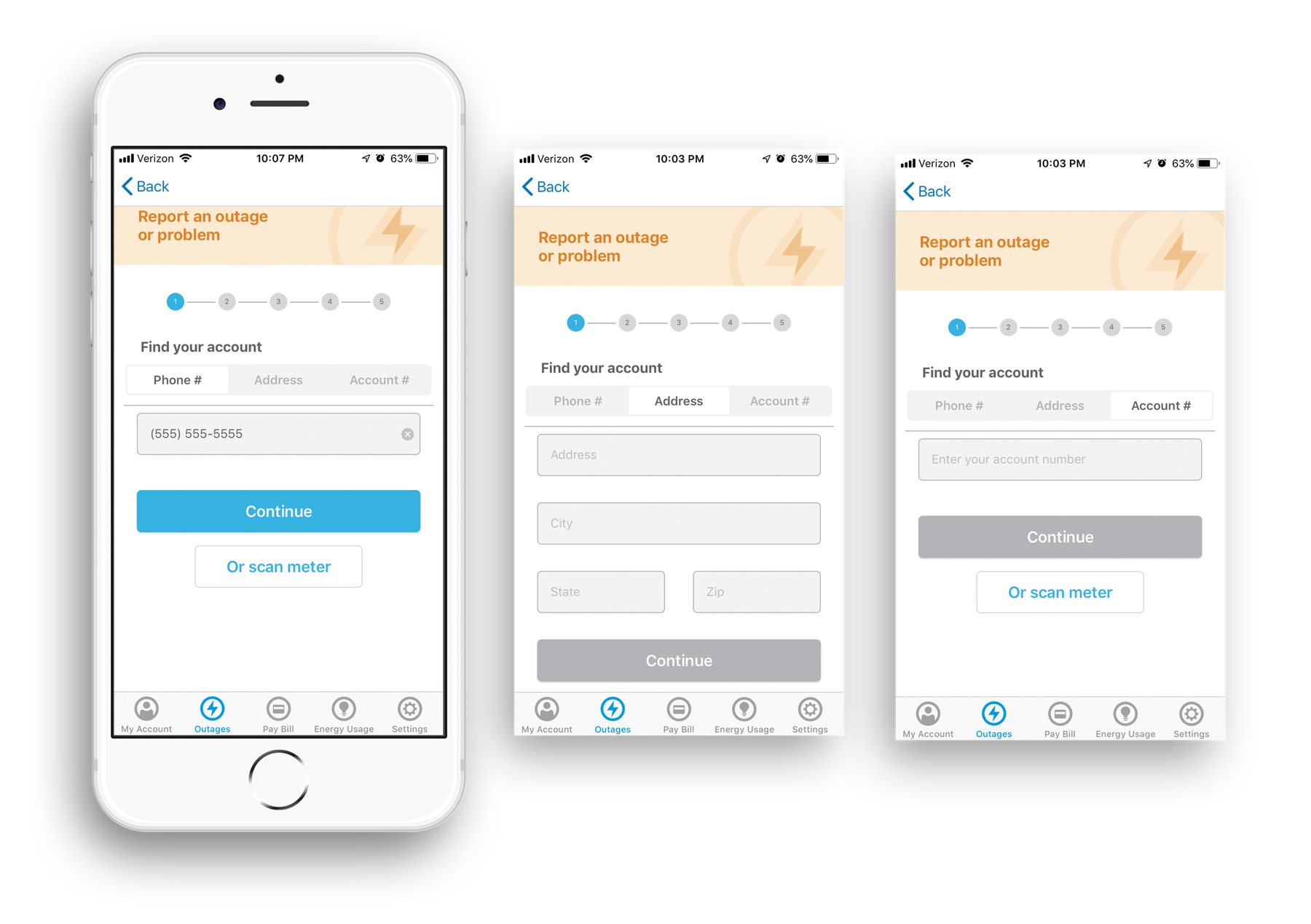
Every existing AEP process had to become a mobile experience. We mapped how each one worked today, designed the app version, then usability-tested it to validate the decisions. Below: the outage reporting flow.
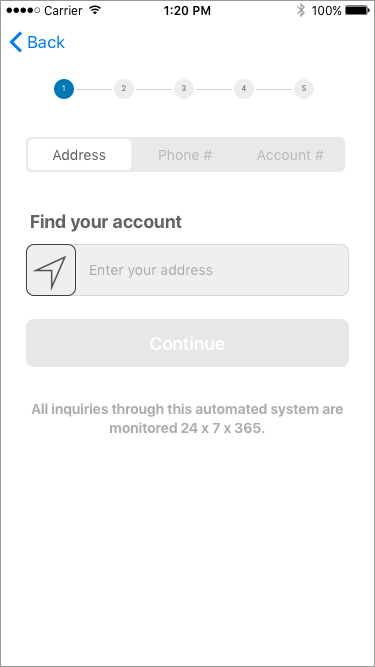
1 · Find your account
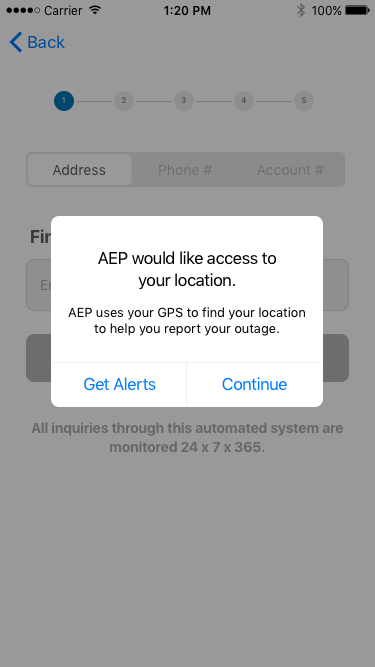
Location permission
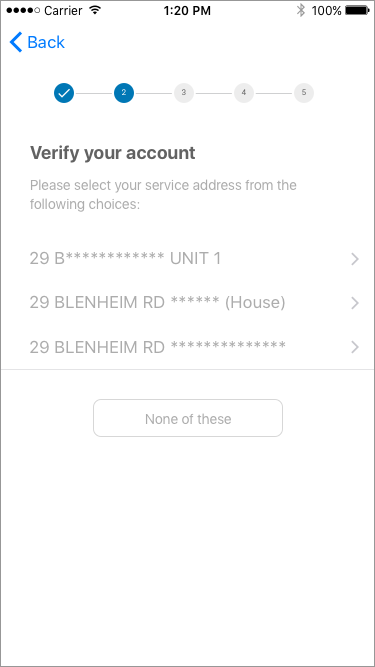
2 · Verify your account
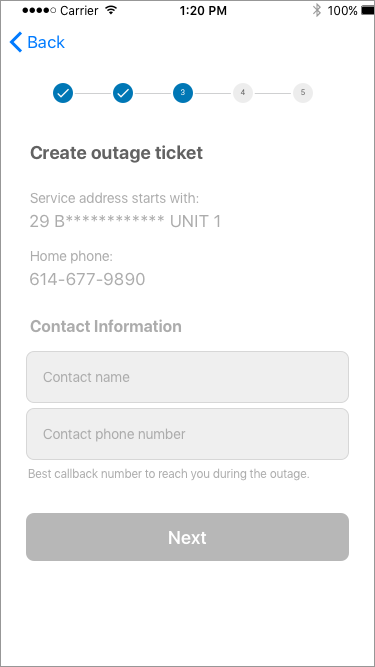
3 · Contact details
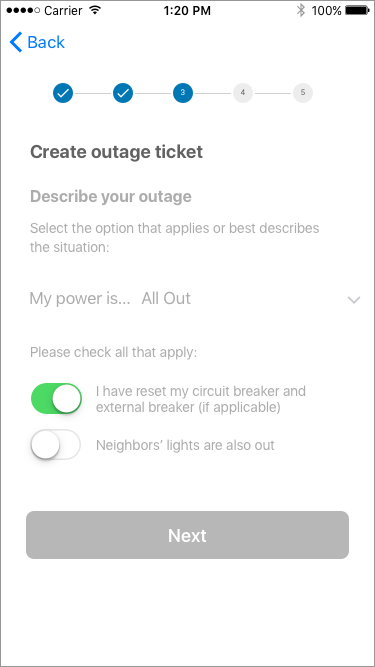
Describe the outage
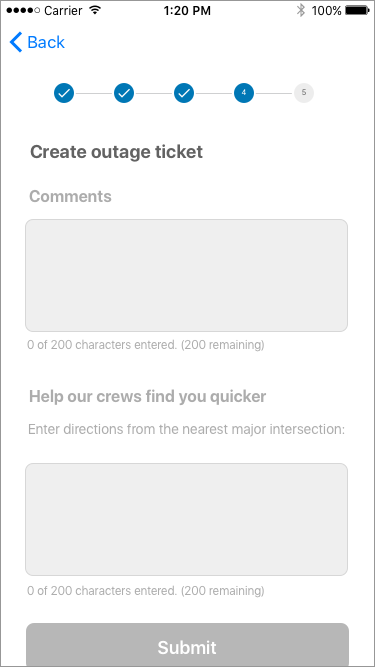
4 · Help crews find you
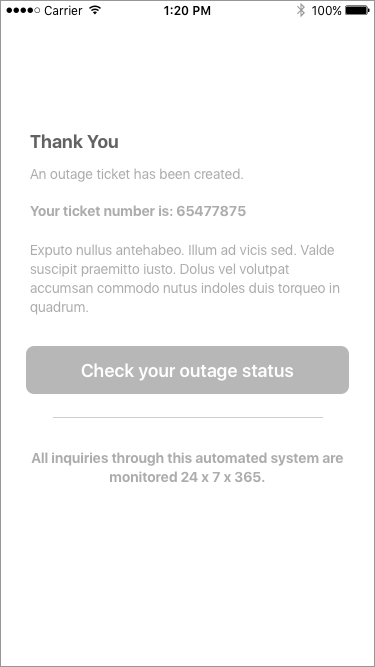
Ticket created
08 — Usability & accessibility testing
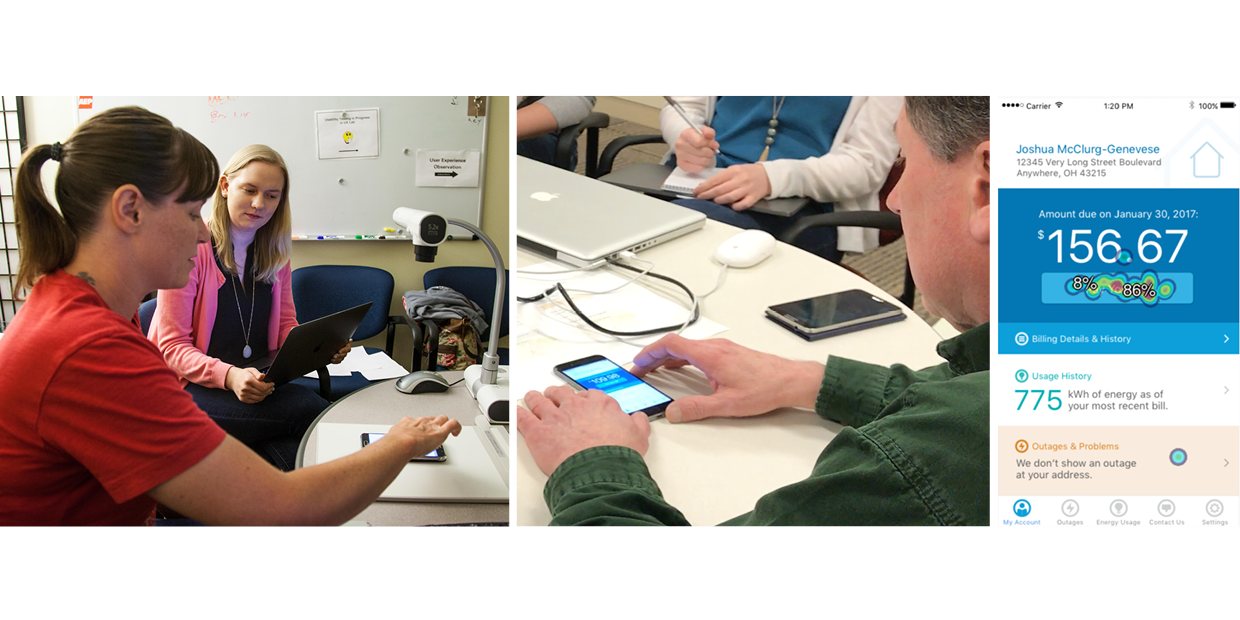
A testing cadence built into every design sprint.
We tested for accessibility as well as usability. A visually impaired colleague in our building volunteered for our accessibility study, which shaped how the app worked with assistive technology.
09 — A/B testing
When the data said “inconclusive,” we kept iterating.
Two competing designs for reporting an outage went through several rounds of A/B testing. Results kept coming back inconclusive, so after each round I adjusted the design based on what we’d learned and tested again, until one design clearly earned confidence.
10 — Outcomes
1st
AEP customer service app, on iOS and Android
Standard
My persona template became AEP’s standard for persona work
Agile
Design sprints introduced alongside dev sprints at a waterfall org