
01 — The problem
How might we combine all of Express’s shopping channels into one seamless experience?
Express launched a standalone mobile site in 2010, but growing phone and tablet use pointed to a full responsive redesign. One site would mean one codebase, mobile and desktop design sprints that complemented each other, and one set of flexible images served from the Scene7 asset system.
02 — Constraints
A new platform, a remote partner, and a live site to keep running.
- The legacy codebase was supported by a third party, so we had to choose a new ecommerce platform (what became Oracle Commerce) and rebuild on it.
- We partnered with Razorfish to speed up design and development. Working with a remote partner without day-to-day visibility stretched the timeline.
- The existing site still needed support and new features throughout.
03 — Research
Mobile traffic was a third of desktop — and climbing.
Our channel analysis showed mobile conversion lagging desktop. Our bet was that the right features, not just time, would close that gap.
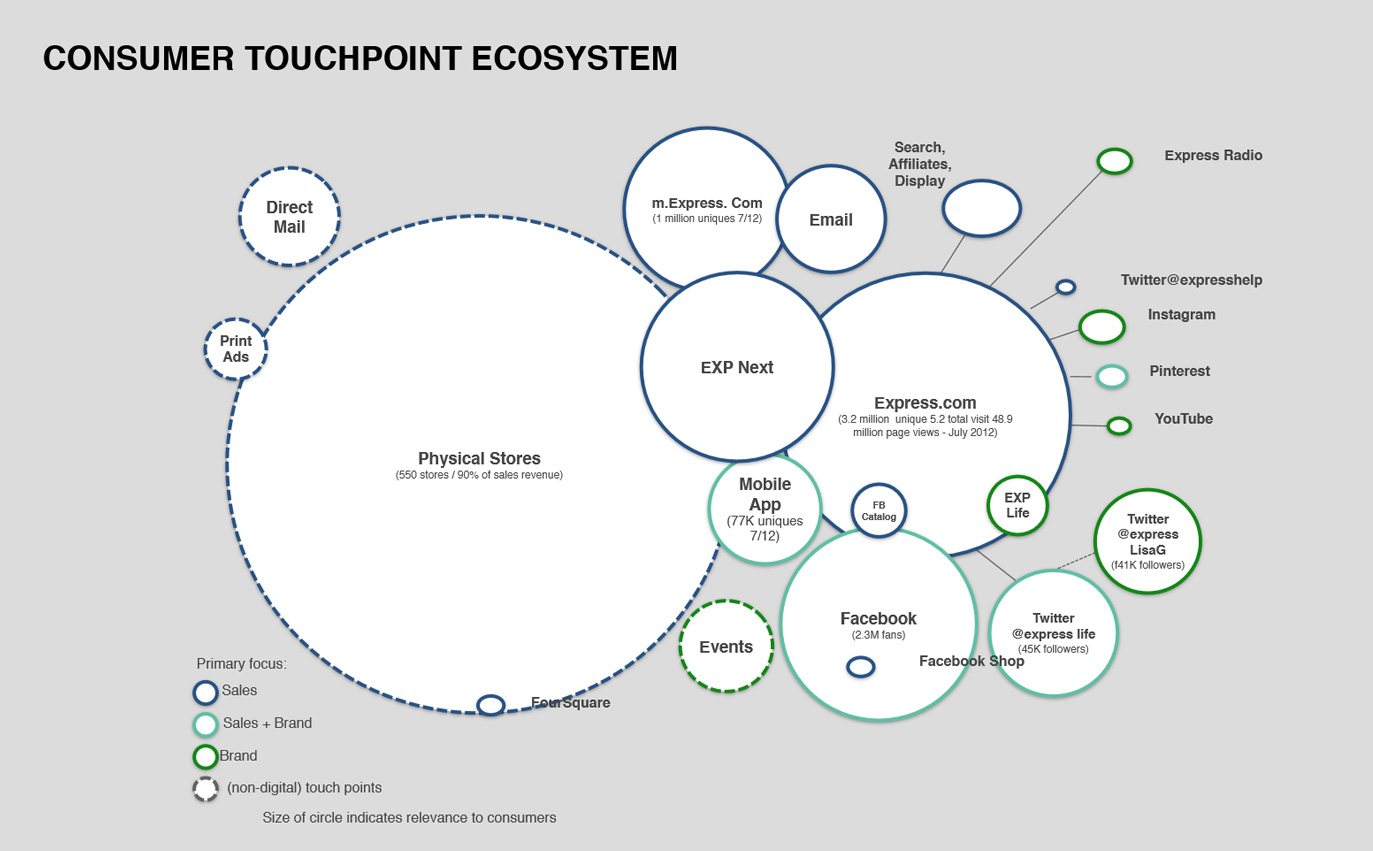
We documented every page, task and user flow, including constraints analytics couldn’t show. We interviewed customer service teams to build a prioritized list of features, bugs and requests from customer calls, and assessed what competitors were doing.
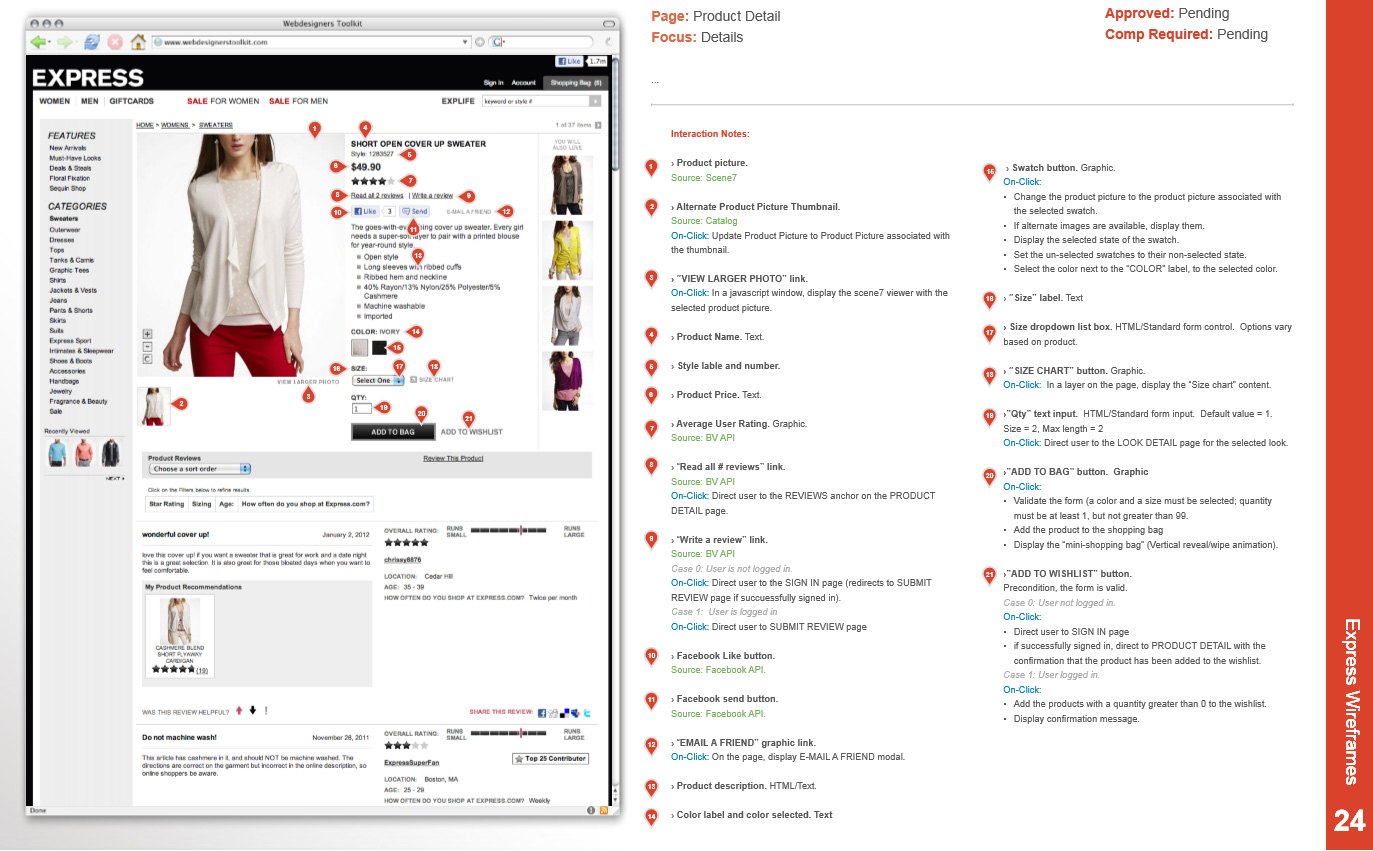
Product detail
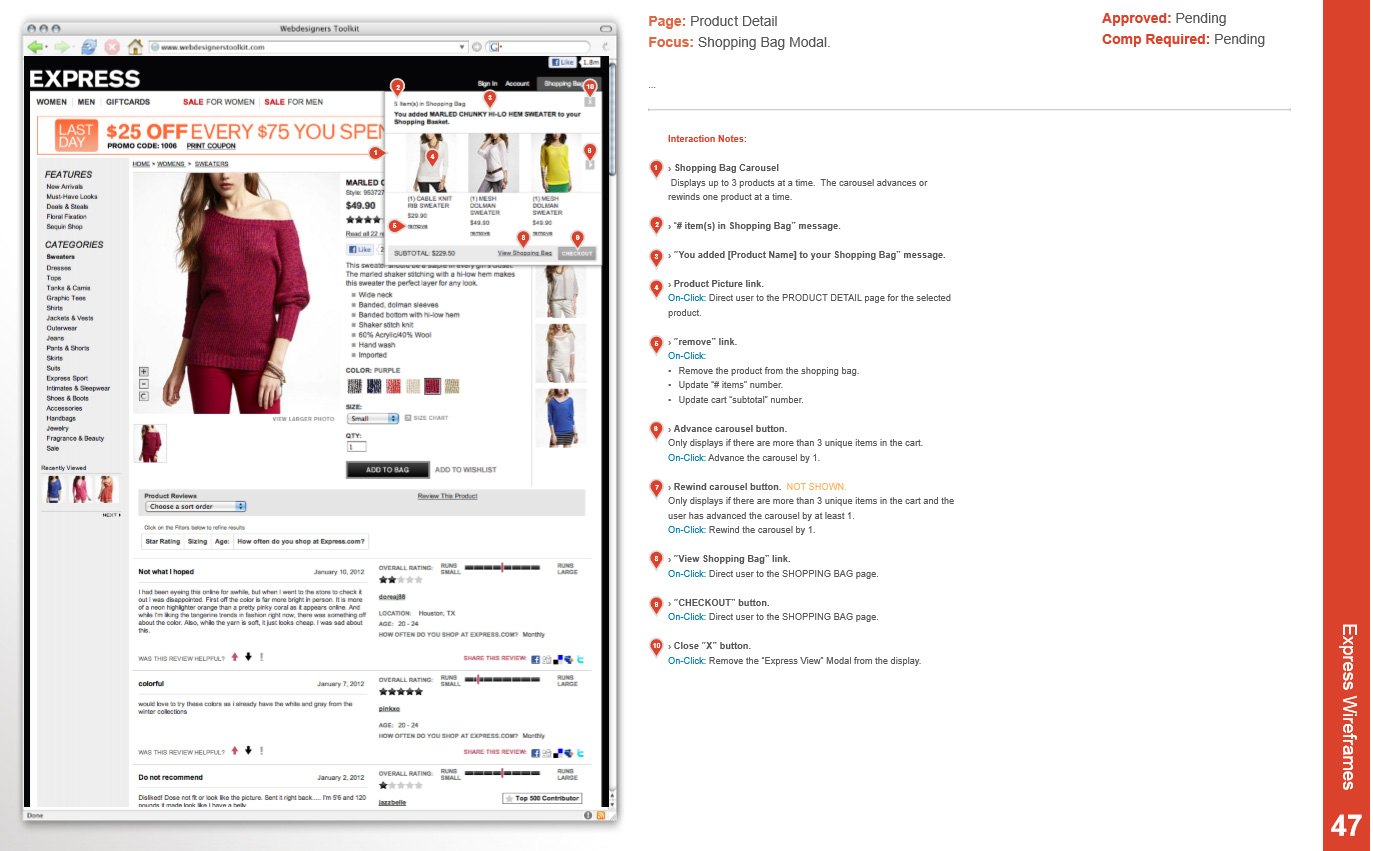
Shopping bag modal
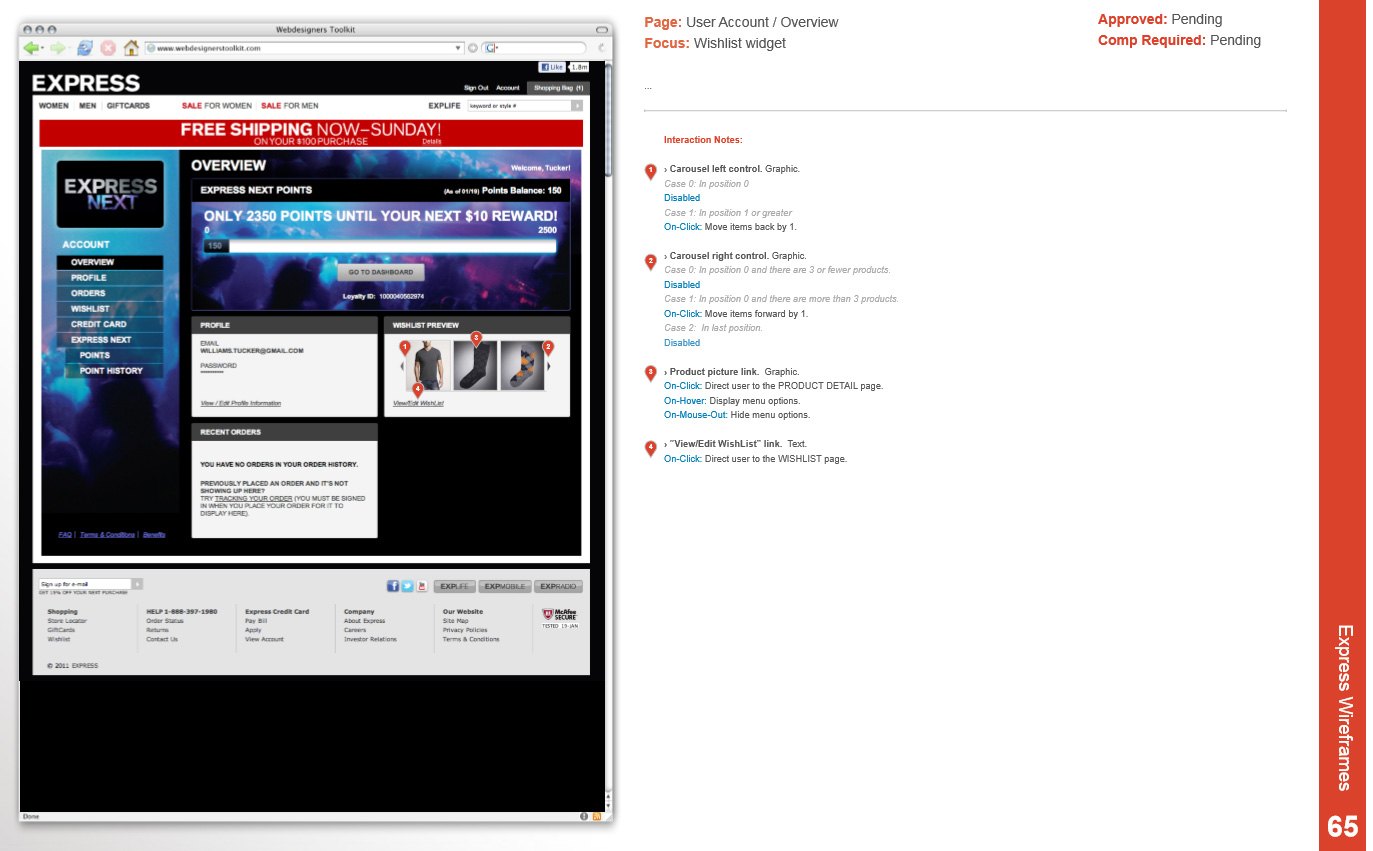
Account overview
04 — Mobile-first design
Patterns that work at every breakpoint.
This was our chance to design mobile-first. The redesign touched every part of the site, including the checkout, which moved to a one-page, accordion-style design that adapted well to every screen size.
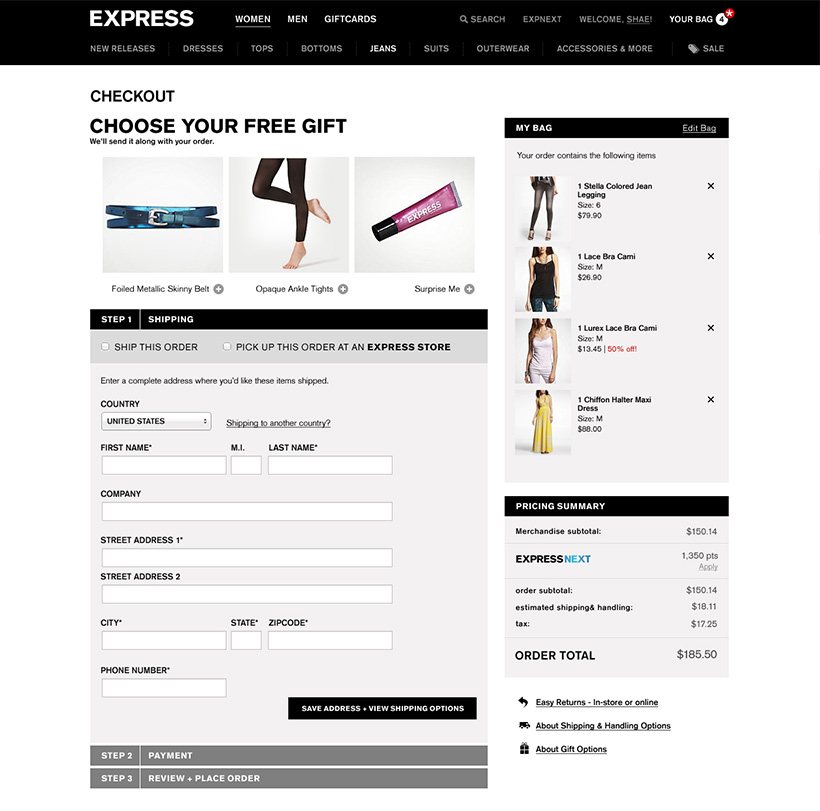
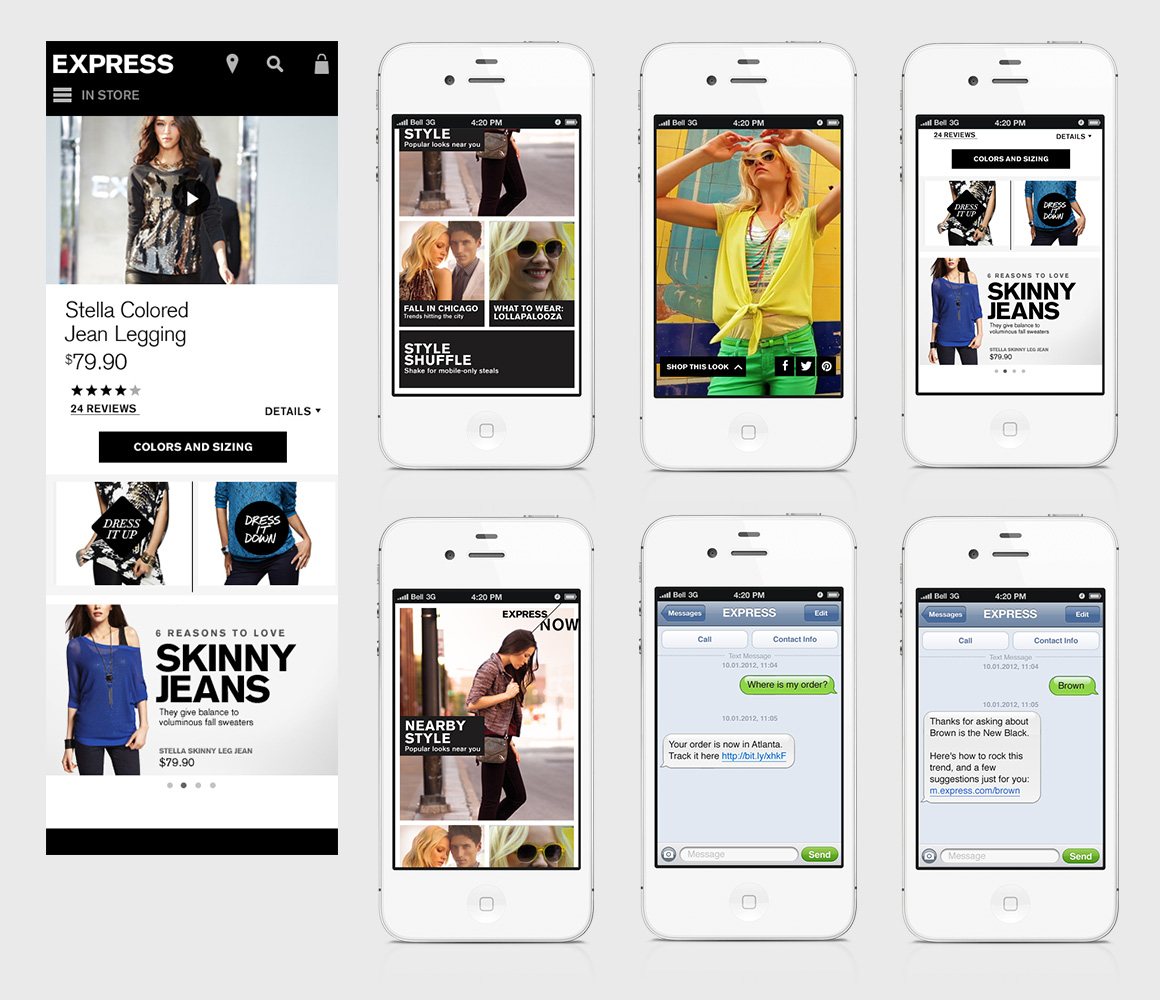
My team looked for patterns that would translate across breakpoints. We designed, tested, built and retested an inline “Express View”: the quickview opened on the page instead of in a pop-up, so shoppers could see more about a product without losing their place in the collection.
Working with our UI developers, we produced high-fidelity prototypes throughout, which let us develop iteratively and deliver production-ready code.
05 — Results
1
codebase for mobile and desktop
1-page
accordion checkout that adapts to every screen size
Inline
Express View quickview, designed, tested and built with UI developers
The redesign replaced a separate mobile site with one store designed mobile-first. Shoppers got the same products, checkout and details on every device, and the team got one codebase and one set of flexible images to maintain.
06 — What I’d change
Less “everything at once.”
We tried to address everything in one waterfall release. Today I’d ship the redesign in slices — starting with checkout — and put real users in front of each one sooner.